Documente Tehnice (Imaginile sunt cu titlu informativ. Va rugam sa consultati specificatiile tehnice.)
Specificatii
Marca
OkdoProduct Type
HMI Development Tool
Standards/Approvals
No
Kit Name
Joystick Module
User Interface
Joystick
Clasificare
Module
Utilizare cu
Micro:bit and Arduino
Featured Device
Joystick Module (000x0000 Article Number) (TS2184)
Tara de origine
China
Detalii Produs
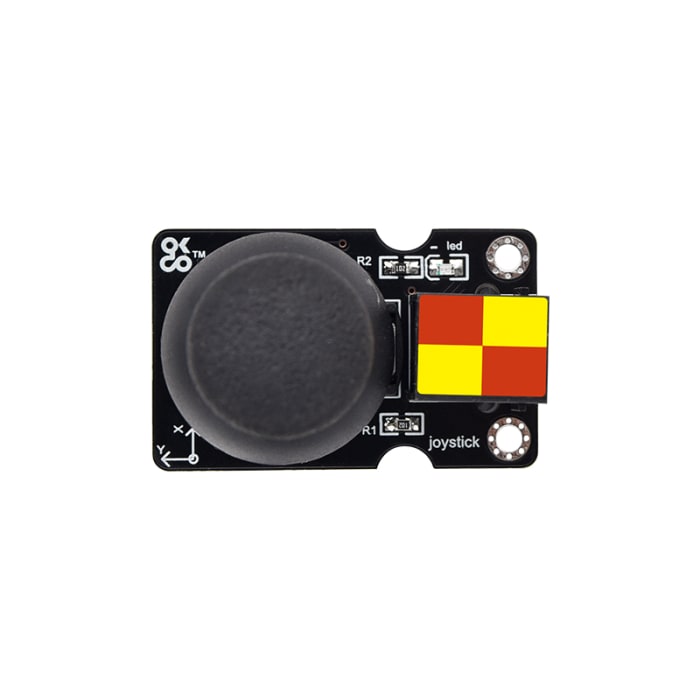
The Okdo joystick module mainly uses the PS2 joystick component. In fact, it has three signal terminal pins, which simulate X axis, Y axis and Z axis. When controlling, the X and Y signal terminals of the module are connected to the analog port of the control board. The signal terminal B is generally connected to the digital port and used as a button. You can determine how the joystick on the module works by reading two analog values and high/low levels at a digital port.
For use with micro:bit, please order the <a href="https://uk.rs-online.com/web/p/led-development-tools/2576754?searchId=ae9694c0-1440-4a34-9747-89c234add665&gb=s">Okdo BBC Micro:bit Expansion Board</a>
For use with Arduino, please order the <a href="https://uk.rs-online.com/web/p/power-motor-robotics-development-tools/2576803?gb=s">Okdo Control Board for Arduino</a>
Cable required: <a href="https://uk.rs-online.com/web/p/stem-electronic-components/0350575">Okdo OR0388 Cable Kit | RS</a>
Informatii despre stoc temporar indisponibile
€ 4,33
€ 4,33 Buc. (fara TVA)
€ 5,24
€ 5,24 Buc. (cu TVA)
1
€ 4,33
€ 4,33 Buc. (fara TVA)
€ 5,24
€ 5,24 Buc. (cu TVA)
Informatii despre stoc temporar indisponibile
1
Documente Tehnice (Imaginile sunt cu titlu informativ. Va rugam sa consultati specificatiile tehnice.)
Specificatii
Marca
OkdoProduct Type
HMI Development Tool
Standards/Approvals
No
Kit Name
Joystick Module
User Interface
Joystick
Clasificare
Module
Utilizare cu
Micro:bit and Arduino
Featured Device
Joystick Module (000x0000 Article Number) (TS2184)
Tara de origine
China
Detalii Produs
The Okdo joystick module mainly uses the PS2 joystick component. In fact, it has three signal terminal pins, which simulate X axis, Y axis and Z axis. When controlling, the X and Y signal terminals of the module are connected to the analog port of the control board. The signal terminal B is generally connected to the digital port and used as a button. You can determine how the joystick on the module works by reading two analog values and high/low levels at a digital port.
For use with micro:bit, please order the <a href="https://uk.rs-online.com/web/p/led-development-tools/2576754?searchId=ae9694c0-1440-4a34-9747-89c234add665&gb=s">Okdo BBC Micro:bit Expansion Board</a>
For use with Arduino, please order the <a href="https://uk.rs-online.com/web/p/power-motor-robotics-development-tools/2576803?gb=s">Okdo Control Board for Arduino</a>
Cable required: <a href="https://uk.rs-online.com/web/p/stem-electronic-components/0350575">Okdo OR0388 Cable Kit | RS</a>